
Subscribe to Marlin magazine and get a year of highly collectible, keepsake editions – plus access to the digital edition and archives. Sign up for the free Marlin email newsletter.
For vessel owners, Starlink has made offshore connectivity possible in ways never before available. High speeds, low latency and low hardware costs have changed how people think about life at sea. Work, communication and content sharing have all become easier. Starlink’s accessibility has turned what was once a luxury into a necessity, for both pleasure and safety.
Once a boat leaves the dock, connectivity challenges increase. At sea, constant motion, salt water, tight spaces, obstructions and electronics complicate things. Starlink provides speed, but actual performance depends on antenna choice and installation quality.
Steve Gorman, a sales manager and maritime connectivity specialist from KVH Industries who has worked extensively with Starlink installations, sees the same issues repeat themselves across vessels of all sizes. “Most problems aren’t caused by the satellite network,” he explains. “They come from how the system is selected, installed and managed on the boat.”
This article explains the practical factors for successful Starlink deployments at sea, from selecting the right antenna and avoiding common installation mistakes to managing data usage on board. It also explores why working with integrators can ensure Starlink performs reliably offshore.
Why Starlink?
At sea, reliable connectivity is essential for safety, communication and overall experience, whether on a day trip or an extended offshore run. Traditionally, vessels relied on GEO satellites more than 20,000 miles away, connecting through a single wide beam. Starlink changes that. Its low Earth orbit (LEO) constellation operates just a few hundred miles above the surface, shortening the distance data must travel and delivering lower latency, faster speeds and more reliable service with continuous satellite handoffs.
The result is seamless, high-speed, homelike internet offshore, both ideal and necessary for fishing adventures with groups who are working, vlogging or posting on social media in real time.
Selecting the Right Antenna
Starlink’s growing lineup of terminals can make it difficult to choose the right one for each unique environment. When a vessel is offshore and in motion, careful antenna selection will determine service performance and reliability.
According to Gorman, the misconception stems from assuming that all motion is equal. “A boat in motion isn’t just going in one direction,” he explains. “It’s constantly experiencing pitch, roll and yaw, especially offshore. That movement fundamentally changes what the antenna has to handle.”
There are currently four main Starlink terminals, and not all are created equally. The Mini is convenient and designed for portability, often shown in a backpack or ditch bag. It works well in a stationary vehicle or remote location but is limited and not recommended for in-motion maritime use. When a Mini is installed on a bouncing fishing vessel, its narrow field of view makes tracking difficult and can cause signal loss. It is also not marinized and cannot withstand the harsh conditions that the Performance Gen 2 and new Performance Gen 3 are designed for.
The ideal vessel antenna is the Starlink Performance Gen 3, with an Environmental Rating of IP68 (unplugged) or IP69K (plugged in), and a 140-degree field of view to handle full ocean movement and deliver optimal performance. Its higher bandwidth is critical because the uplink speed can be more impactful for users posting photos or videos than the download speed.

The Install
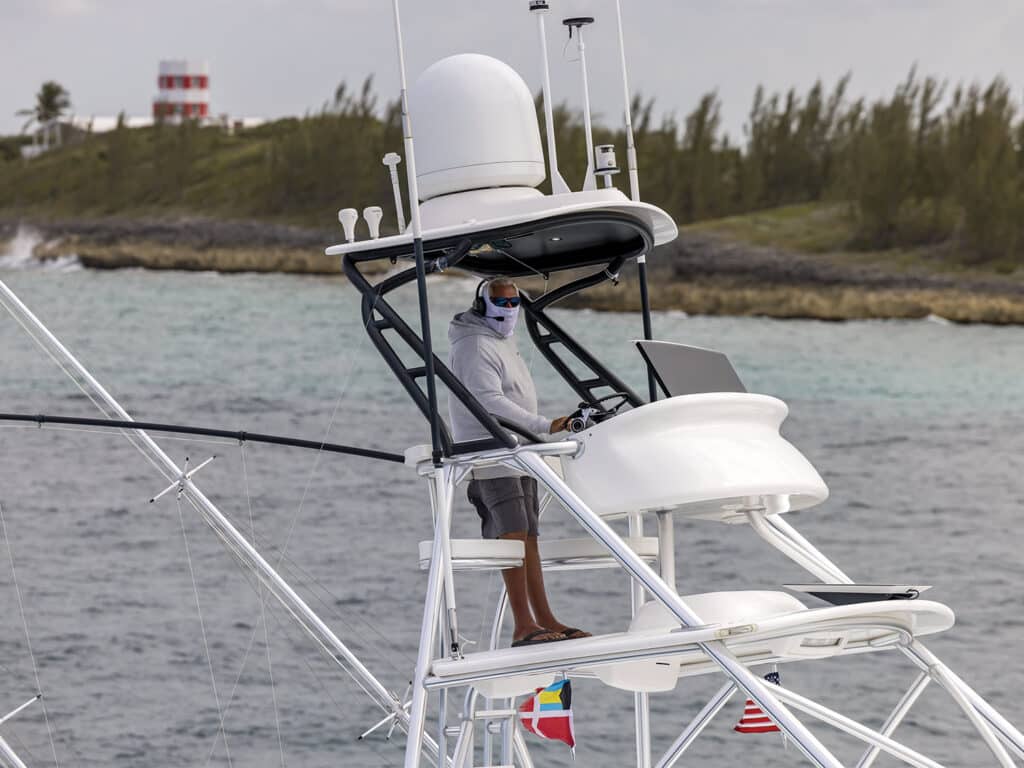
It is best to use an authorized Starlink installer with trained technicians who can facilitate the process. Vessel types vary, but installations are typically on center-console hardtops, sport-fisher towers or buggy tops. Both Gen 2 and Gen 3 models require a single cable from the antenna to the power supply. The key point is that this uses Starlink’s cable-and-connector system, not standard Ethernet. In the Performance Gen 2, the antenna cable connects to a power supply (AC), and the router uses separate power. In the Performance Gen 3, the power supply (AC or DC) powers both the antenna and the Gen 3 router (if using the Starlink router).
“We see a fair number of failures in the field, especially on DIY installs, due to poor cable work,” explains Gorman. “Cables get damaged when pulled through tower legs, across sharp edges and hardtops, or when spliced incorrectly. This can lead to signal loss or system failure, resulting in costly repairs or unreliable connectivity offshore.”
Each Starlink antenna needs a clear view of the sky. Even when sitting at the dock, the presence of buildings, trees or nearby structures will affect its performance.
Offshore obstructions can exist from anything mounted on the vessel, including towers and masts, as well as any onboard electronics that are transmitting, which can interfere with other electronics. Newer vessels use gyrostabilization, which can cause abnormal behavior when installed too close to Starlink. Radars can be another factor, especially the high-power models on sport-fishers. If aimed at Starlink, they can degrade its ability to remain connected. As such, Starlink recommends installation approximately 16 feet from other transmitting electronics. On most vessels, that’s impossible, but it’s advised that people keep their devices as far away as possible. These disruptions should be planned for and discussed before the install.
Finally, the marine environment is harsh. Sustained motion and G-forces in rough seas can easily dislodge equipment, highlighting the importance of proper mounting. Use the proprietary flat or wedge mount, or a third-party mount, to raise the antenna and minimize blockage. Any mount must be sealed, protected at connectors, and mechanically secured with through-bolting to withstand offshore conditions.
The Devil’s in the Data
Starlink Global Priority service is like an open pipe. When turned on and left unmanaged, the data will be used continuously and faster than expected, often surprising people when they get their first bill. There is also hidden usage from devices that transfer data when they detect Wi-Fi, such as phones syncing with the cloud, and TVs and computers performing automatic updates.
“Most issues come down to managing data and putting the right controls in place, using tools like KVH’s CommBox Edge, and choosing the appropriate service plans,” Gorman says. “It’s also important to make sure your network is prepared for Starlink’s high-speed capabilities. You can have a great satellite connection, but without the right onboard network, people will think the service is slow.”
Making Starlink Work at Sea
The steps are simple: Choose the antenna with the best field of view, work with an authorized installer to mount the system for optimal performance, ensure the onboard network can handle the bandwidth of next-generation equipment, and implement safeguards against surprise data usage.
“Starlink performs best when it’s treated as part of a complete onboard system and not just a piece of hardware bolted to the boat,” says Gorman.
All that’s left is to set a course for the open sea, confident that your connectivity is ready for whatever the voyage brings.